
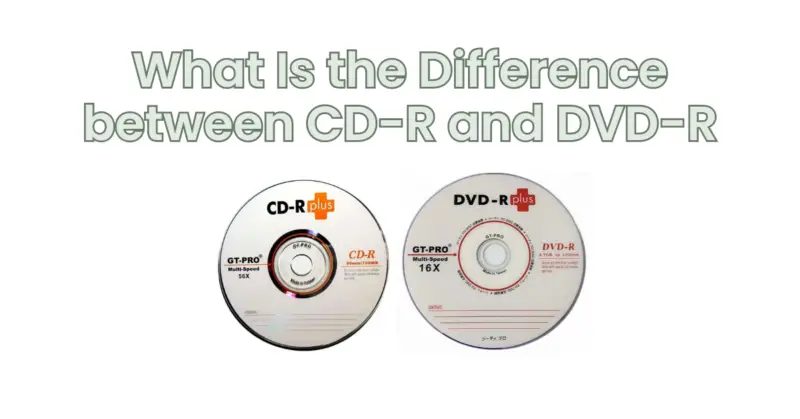
When it comes to storing and distributing digital content, two common options are CD-R (Compact Disc Recordable) and DVD-R (Digital Versatile Disc Recordable). Both CD-R and DVD-R allow you to burn data onto them for playback on compatible devices. However, there are notable differences between the two formats in terms of capacity, storage capabilities, and usage scenarios. In this article, we will explore the key differences between CD-R and DVD-R to help you understand which format is best suited for your needs.
- Capacity: One of the primary differences between CD-R and DVD-R is the storage capacity. A standard CD-R typically has a maximum capacity of 700 MB (megabytes), which translates to about 80 minutes of audio or approximately 60 minutes of standard-quality video content. On the other hand, a DVD-R offers significantly more storage space. A single-layer DVD-R can store up to 4.7 GB (gigabytes) of data, which is roughly seven times the capacity of a CD-R. Additionally, there are dual-layer DVD-R discs available that can hold up to 8.5 GB of data.
- Usage Scenarios: CD-Rs are commonly used for audio recordings, such as creating music albums or burning audio mixes. They are also suitable for storing smaller data files, software, or documents. CD-Rs can be played in most CD and DVD players, as well as CD-ROM drives in computers. DVD-Rs, on the other hand, are more versatile and suitable for various purposes. They are commonly used for storing larger video files, movies, software applications, and backup data. DVD-Rs require a compatible DVD player or DVD-ROM drive to play back the content.
- Compatibility: CD-Rs have been around for a longer time and are widely supported by a wide range of devices, including older CD players and DVD players. They can be read by most CD-ROM drives and DVD-ROM drives. DVD-Rs are newer and not all devices, especially older models, may be compatible with them. While most modern DVD players, DVD-ROM drives, and computer systems support DVD-Rs, it’s important to check the compatibility of your playback devices before burning content onto a DVD-R.
- Burning Speed: Another difference between CD-R and DVD-R is the burning speed. CD-Rs are typically burned at slower speeds compared to DVD-Rs. This is because CD-Rs have a lower capacity and require more precision during the burning process. DVD-Rs can be burned at faster speeds due to their higher capacity. However, it’s important to note that burning at higher speeds may result in a higher chance of errors, especially with lower-quality discs or older burners.
- Cost: In terms of cost, CD-Rs are generally less expensive than DVD-Rs. This is primarily because CD-Rs have been around for a longer time and have a higher demand. DVD-Rs, being a newer technology with larger capacity, tend to be slightly more expensive.
In summary, the main differences between CD-R and DVD-R lie in their storage capacity, usage scenarios, compatibility, burning speed, and cost. CD-Rs offer a lower capacity and are commonly used for audio recordings and storing smaller data files. They are widely supported by various devices. DVD-Rs, on the other hand, provide a higher storage capacity and are suitable for larger video files, software applications, and backup data. They require compatible DVD players or DVD-ROM drives for playback. Consider the specific requirements of your project or use case to determine which format best suits your needs.