
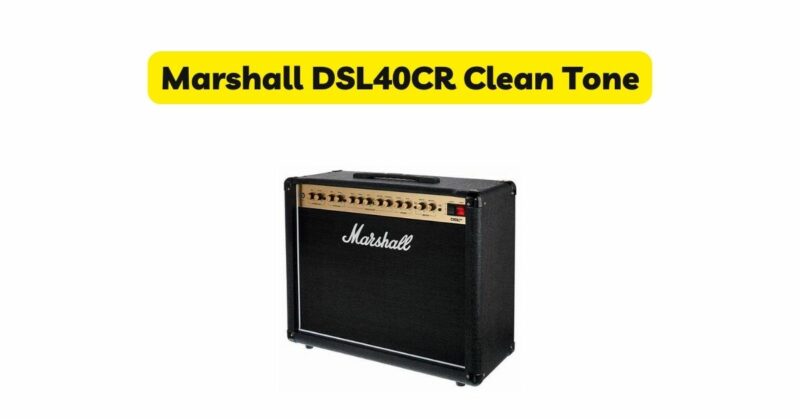
The Marshall DSL40CR is a highly regarded guitar amplifier known for its versatility and ability to deliver a wide range of tones. While the amp is celebrated for its high-gain capabilities, it also excels in producing exquisite clean tones. In this detailed article, we will explore the clean channel of the Marshall DSL40CR and delve into its controls and settings, providing insights and recommendations to help you achieve a pristine clean tone that sparkles with elegance.
Understanding the Clean Channel The Marshall DSL40CR
Classic Gain and Ultra Gain. The Classic Gain channel is the designated clean channel of the amplifier. It provides a warm and pristine tone that is perfect for genres such as jazz, blues, pop, and more. Let’s delve into the controls and settings that contribute to crafting an exceptional clean tone:
- Clean/Crunch Switch: The Clean/Crunch switch allows you to toggle between the clean and slightly overdriven sounds. Set the switch to the “Clean” position to engage the dedicated clean channel.
- Gain: On the clean channel, the gain control adjusts the amount of clean headroom. Start with the gain set low for a cleaner tone, and gradually increase it to introduce a subtle amount of natural tube saturation. Finding the right balance is key to maintaining the pristine nature of the clean tone while adding a touch of warmth and dynamic response.
- Volume: The volume control on the clean channel sets the overall output level of the amplifier. Adjust it according to your playing environment and desired volume. Experiment with different volume levels to find the sweet spot that allows your clean tone to shine.
- Bass, Middle, and Treble: These three-band EQ controls shape the frequency response of your clean tone. Here are some recommended starting points:
- Bass: Set it to enhance the depth and richness of the low-end frequencies without overpowering the overall mix.
- Middle: Adjust it to add warmth and clarity to your clean tone. Find a balanced setting that complements your guitar’s natural characteristics.
- Treble: Set it to add sparkle and definition to your clean sound. Find the right level to avoid excessive brightness or harshness.
- Presence: The presence control adjusts the high-frequency content of your clean tone. It adds airiness and clarity to the sound without compromising its warmth. Experiment with the presence control to find the right level that adds shimmer and detail to your clean tone.
Dialing in Your Perfect Clean Tone
Now that we have an understanding of the controls, let’s explore some recommended settings to help you achieve your desired clean tone:
- Jazz:
- Clean/Crunch Switch: Set it to “Clean” for a pristine and pure clean tone.
- Gain: Keep it low to maintain clarity and articulation.
- Volume: Adjust it to suit your playing environment and desired volume.
- Bass: Set it to enhance the depth of the low end without overpowering the mix.
- Middle: Boost it slightly to add warmth and presence to your jazz tone.
- Treble: Set it to add clarity and definition to your clean sound.
- Presence: Adjust it to add a touch of sparkle and detail.
- Blues:
- Clean/Crunch Switch: Set it to “Clean” for a cleaner blues tone.
- Gain: Keep it low to maintain clarity while adding a subtle touch of tube saturation.
- Volume: Adjust it to match your playing environment and desired volume.
- Bass: Set it to provide a full and round low-end response.
- Middle: Boost it slightly to add warmth and body to your blues tone.
- Treble: Set it to your preference, depending on the level of brightness desired.
- Presence: Adjust it to add clarity and definition to your clean blues tone.
- Pop and Indie:
- Clean/Crunch Switch: Set it to “Clean” for a pristine clean tone.
- Gain: Keep it low to maintain clarity and dynamics.
- Volume: Adjust it to suit your playing environment and desired volume.
- Bass: Set it to provide a solid low-end foundation without overpowering the mix.
- Middle: Adjust it to achieve a balanced and present clean tone.
- Treble: Set it to add sparkle and clarity to your clean sound.
- Presence: Adjust it to add a touch of airiness and detail.
Exploring Additional Features
The Marshall DSL40CR offers additional features that can further enhance your clean tone. Here are a few worth exploring:
- Reverb: The DSL40CR features an onboard digital reverb effect that adds depth and ambience to your clean tone. Experiment with the reverb control to find the desired level of spaciousness and decay.
- Effects Loop: The effects loop allows you to integrate external effects pedals into your clean signal chain. Experiment with modulation, delay, or reverb pedals to add texture and depth to your clean tone.
- Speaker Output: The DSL40CR provides a speaker output for connecting external speaker cabinets. Experimenting with different speaker configurations can affect the overall tonal characteristics of your clean sound. Consider exploring various speaker combinations to find the one that best suits your preferences.
Conclusion
The Marshall DSL40CR is a remarkable amplifier that showcases its versatility not only in high-gain tones but also in delivering pristine clean tones. By understanding the controls and exploring different settings, you can unlock a wealth of sonic possibilities. Whether you’re playing jazz, blues, pop, or any other genre that requires a sparkling clean tone, the DSL40CR offers the tools to shape your ideal sound. Remember, these recommended settings are starting points, and it’s essential to trust your ears and make adjustments based on your personal preferences and the characteristics of your guitar. So, dive in, experiment, and enjoy the journey of discovering your perfect clean tone with the Marshall DSL40CR amplifier.