
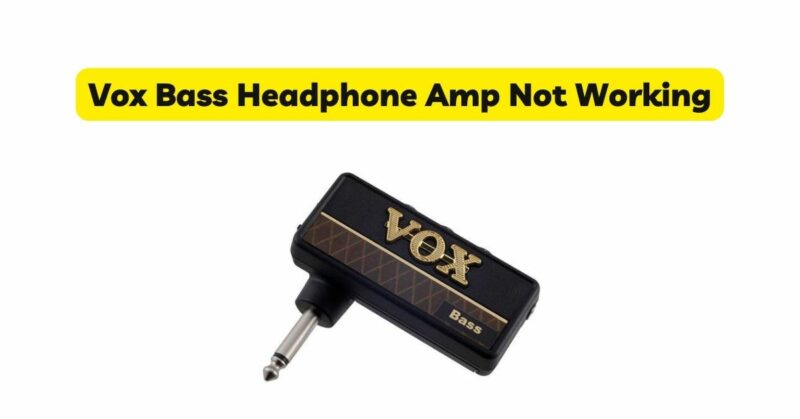
The Vox Bass Headphone Amp is a compact and popular device among bass guitar players for its ability to provide a silent practice experience using headphones. However, like any electronic device, it may encounter malfunctions or fail to work as expected. One common issue reported by users is the Vox Bass Headphone Amp not functioning properly. In this comprehensive troubleshooting guide, we will delve into potential causes and provide step-by-step solutions to help you rectify any issues you may be facing with your Vox Bass Headphone Amp.
Initial Assessment
Before diving into the troubleshooting process, it is important to conduct a thorough initial assessment to identify any visible signs of malfunction or damage. Consider the following steps:
- Power Indicator: Check if the power indicator light on the Vox Bass Headphone Amp is illuminated. If not, ensure that the power source is functioning correctly and that the amp is properly plugged in.
- Cables and Connections: Examine all cables and connections, including the input and output jacks, to ensure they are securely connected. Loose or damaged connections can result in the amp not functioning properly.
- External Factors: Take note of any external factors that may affect the amp’s performance, such as extreme temperatures, moisture, or physical damage. These factors can contribute to operational issues.
Troubleshooting Steps
- Check the Headphone Connection: If you are experiencing no sound output or distorted sound, the problem may lie with the headphone connection. Perform the following steps:a. Disconnect and Reconnect Headphones: Unplug the headphones from the amp’s headphone jack and then reconnect them firmly. Sometimes, a loose connection can cause audio issues.
b. Test with Different Headphones: Use a different pair of headphones to rule out the possibility of a headphone malfunction. If the problem persists with multiple pairs of headphones, the issue likely lies with the amp itself.
- Verify the Volume Settings: If you are not hearing any sound despite proper headphone connections, it is important to ensure that the volume settings are properly configured. Follow these steps:a. Adjust the Volume Controls: Check the volume controls on both the Vox Bass Headphone Amp and your bass guitar. Make sure they are not turned all the way down or muted. Gradually increase the volume to an audible level.
b. Check the Gain and Tone Controls: If the volume is still low or the tone sounds off, verify that the gain and tone controls on the amp are appropriately adjusted. Experiment with different settings to find the optimal sound.
- Examine the Power Supply: If the Vox Bass Headphone Amp fails to power on or cuts out intermittently, the power supply could be the culprit. Consider the following steps:a. Check the Power Source: Ensure that the amp is connected to a functional power source. Try plugging it into a different outlet or using a different power cable to eliminate the possibility of a faulty power supply.
b. Battery-Powered Amps: If you are using a battery-powered version of the Vox Bass Headphone Amp, replace the batteries with fresh ones. Old or depleted batteries can lead to power issues.
- Reset the Amp: Performing a reset can sometimes resolve underlying software or internal issues. Follow these steps to reset the Vox Bass Headphone Amp:a. Power Off the Amp: Disconnect the amp from the power source and let it sit idle for a few minutes.
b. Factory Reset: Consult the user manual or visit the Vox website for specific instructions on performing a factory reset. This will restore the amp to its default settings.
c. Power On and Test: Reconnect the amp to the power source and test if the issue has been resolved.
- Test with Different Instruments and Cables: If the troubleshooting steps above do not resolve the issue, it is worth trying different instruments (bass guitar) and cables with the Vox Bass Headphone Amp. This will help determine if the problem is specific to a particular instrument or cable, rather than the amp itself.
Contact Vox Support
If you have exhausted all the troubleshooting steps and the Vox Bass Headphone Amp still does not function properly, it is recommended to contact Vox customer support. Provide them with a detailed explanation of the issue, the steps you have taken, and any error messages encountered. They will be able to offer further assistance, guide you through additional troubleshooting steps, or advise on repair or replacement options if necessary.
Prevention
To prevent your Vox bass headphone amp from not working, you can take the following steps:
- Use fresh batteries: Always use fresh batteries in your Vox bass headphone amp. This will help to prevent the batteries from dying prematurely.
- Check the connections regularly: Make sure to check the connections on your Vox bass headphone amp regularly. This will help to prevent the connections from becoming loose.
- Be careful with your Vox bass headphone amp: Avoid dropping or banging your Vox bass headphone amp. This could damage the components inside the amp.
Conclusion
The Vox Bass Headphone Amp is a valuable tool for bass guitar players, offering convenient and silent practice capabilities. However, encountering issues with its functionality can be frustrating. By following the comprehensive troubleshooting steps outlined in this guide, you can effectively diagnose and resolve common problems with your Vox Bass Headphone Amp. Remember to perform an initial assessment, check connections, verify volume settings, examine the power supply, try a reset, and test with different instruments and cables if needed. If all else fails, don’t hesitate to reach out to Vox customer support for further assistance and resolution.