
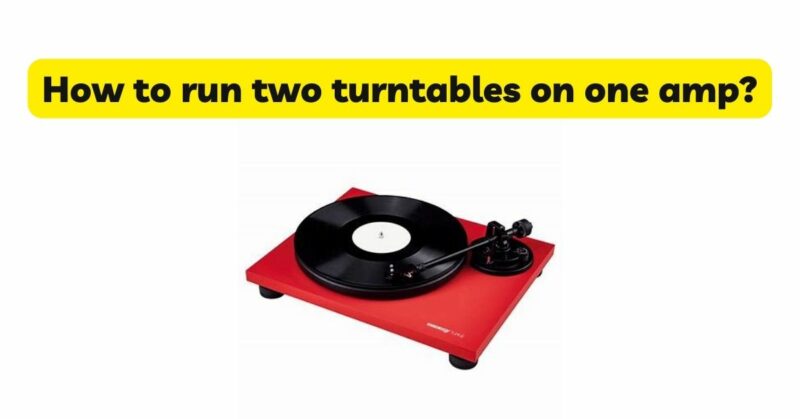
Running two turntables on a single amplifier allows for enhanced versatility and flexibility in audio playback, DJing, or mixing. However, understanding the proper setup, connections, and considerations is crucial to ensure optimal performance and seamless operation. In this article, we will provide a comprehensive guide on how to run two turntables on one amplifier, covering the necessary cables, settings, and techniques to create a synchronized and enjoyable audio experience.
- Selecting the Right Amplifier:
Before setting up two turntables on a single amplifier, ensure that your amplifier has enough inputs to accommodate both turntables. Look for amplifiers with multiple line-level or phono inputs, as each turntable will require a dedicated input for proper playback.
- Identifying the Outputs on the Turntables:
Most turntables offer both phono and line-level outputs. The phono output is specifically designed for connecting to a phono input on an amplifier, while the line-level output can be directly connected to a line-level input on the amplifier. Identify the output type on each turntable before proceeding with the setup.
- Phono Preamp Considerations:
If your amplifier does not have a dedicated phono input, you will need to incorporate a phono preamp into the setup. A phono preamp boosts the low-level phono signal from the turntable to line-level, allowing it to connect to a standard line-level input on the amplifier. Phono preamps can be standalone units or integrated within the turntable.
- Connecting the Turntables:
To run two turntables on one amplifier, follow these steps:
a. Identify the output type on each turntable (phono or line-level). b. If the turntable has a phono output, connect it to the phono input on the amplifier or the phono preamp. If the turntable has a line-level output, connect it to a line-level input on the amplifier. c. Use appropriate cables for the connections. For phono outputs, use RCA cables with grounding wires. For line-level outputs, standard RCA cables will suffice. d. Repeat the above steps for the second turntable, ensuring each turntable is connected to a separate input on the amplifier.
- Grounding:
If your turntables have phono outputs, it is important to ground them properly to minimize unwanted hum or noise. Most turntables have a grounding post or wire that needs to be connected to the amplifier’s grounding terminal or any available grounding point.
- Input Selection:
On the amplifier, select the appropriate input for each turntable. This can be done through the input selector or source buttons on the amplifier or the remote control. Ensure that the input selection matches the input where each turntable is connected.
- Equalization and Gain Settings:
If your amplifier has adjustable equalization or gain settings for the phono inputs, you may need to adjust them to match the output levels and equalization requirements of each turntable. Consult the amplifier’s manual for instructions on how to adjust these settings.
- Mixing and Monitoring:
To enhance control and mixing capabilities, consider incorporating a DJ mixer into the setup. Connect the turntables to the mixer’s inputs and connect the mixer’s output to a line-level input on the amplifier. This allows you to control and monitor the audio from both turntables while providing additional mixing and blending capabilities.
- Syncing the Turntables:
To synchronize the playback of both turntables, you will need to match the rotation speed of each turntable. Use the pitch control or speed adjustment feature on each turntable to ensure that they are spinning at the same speed. Additionally, use a pair of headphones connected to the DJ mixer or a separate headphone amplifier to monitor and adjust the audio mix between the turntables.
Conclusion:
Running two turntables on one amplifier opens up a world of possibilities for audio playback, DJing, or mixing. By following the steps outlined in this guide, you can successfully integrate two turntables into a single amplifier setup. Remember to select the appropriate inputs on the amplifier, adjust equalization and gain settings if necessary, and consider using a DJ mixer for enhanced control and monitoring capabilities. With the right connections and setup, you can enjoy seamless audio playback, precise mixing, and the creative potential of multiple turntables, all while immersing yourself in the timeless art of vinyl.