
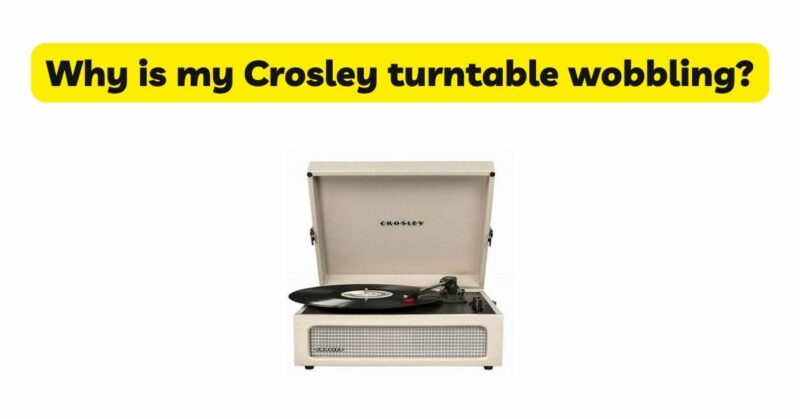
Crosley turntables are popular choices among vinyl enthusiasts due to their vintage aesthetics and user-friendly features. However, encountering wobbling issues can be frustrating and affect the overall listening experience. Wobbling occurs when the turntable platter does not rotate smoothly, resulting in playback inconsistencies. In this article, we will explore the potential causes of wobbling on a Crosley turntable and provide insights into troubleshooting and resolving the issue. By understanding the factors that contribute to wobbling and implementing appropriate solutions, you can restore optimal performance to your Crosley turntable.
- Platter Alignment: Misalignment of the turntable platter is a common cause of wobbling. Improper alignment can result from an incorrectly seated platter or misplacement of the platter spindle. Ensure that the platter is correctly seated and securely attached to the spindle. Gently remove the platter and inspect the spindle for any debris or obstructions that may affect proper alignment. Reassemble the platter, ensuring it sits evenly and securely on the spindle. Following the manufacturer’s instructions or consulting the user manual can provide specific guidance on platter alignment for your Crosley model.
- Leveling and Stability: Uneven or unstable surfaces can contribute to wobbling on a turntable. Place your Crosley turntable on a flat and stable surface, such as a sturdy table or stand. Use a spirit level to ensure that the turntable is level in all directions. Adjust the feet or placement of the turntable to achieve proper leveling. A stable and level surface helps minimize vibrations and reduces the likelihood of wobbling during playback.
- Belt Tension and Condition: Crosley turntables often employ belt-drive systems to rotate the platter. Inadequate belt tension or a worn-out belt can lead to wobbling issues. Inspect the belt for signs of wear, stretching, or damage. If the belt appears loose or worn, it may need to be replaced. Refer to the manufacturer’s guidelines or consult the user manual for proper belt tensioning and replacement instructions. Ensuring the correct belt tension is essential for smooth rotation and reducing wobbling.
- Motor Issues: Faulty or malfunctioning motors can contribute to wobbling on a Crosley turntable. Inspect the motor for any visible damage or signs of wear. Ensure that the motor is securely mounted and free from any obstructions. If you suspect motor-related issues, it is advisable to seek professional assistance for repair or replacement. An experienced technician can diagnose and address motor problems effectively.
- Tonearm Alignment: An improperly aligned tonearm can cause wobbling during playback. Check the alignment of the tonearm using alignment tools or guidelines provided by Crosley. Follow the manufacturer’s instructions to ensure that the tonearm is properly aligned parallel to the record surface. Misalignment can lead to tracking issues and result in wobbling or skipping. Proper tonearm alignment promotes smooth and consistent playback.
- Mechanical Obstructions: Mechanical obstructions within the turntable mechanism can also contribute to wobbling. Inspect the turntable for any debris, dust, or foreign objects that may interfere with proper operation. Clean the internal components using compressed air or a soft brush to remove any accumulated debris. Ensure that all parts, such as the motor pulley and belt, are free from obstructions and functioning correctly.
- Upgrading the Cartridge and Stylus: Low-quality or worn-out cartridges and stylus can negatively impact tracking and cause wobbling. Consider upgrading to a higher-quality cartridge and stylus that is compatible with your Crosley turntable. Consult the manufacturer’s guidelines or seek professional advice when selecting and installing a new cartridge and stylus.
- Seek Professional Assistance: If the above troubleshooting steps do not resolve the wobbling issue on your Crosley turntable, it may be necessary to seek professional assistance. A qualified technician can diagnose the problem more accurately and provide specialized solutions tailored to your specific Crosley model.
Conclusion: Experiencing wobbling on a Crosley turntable can be frustrating, but with proper troubleshooting and attention to detail, the issue can often be resolved. By addressing platter alignment, ensuring leveling and stability, checking belt tension and condition, addressing motor issues, verifying tonearm alignment, inspecting for mechanical obstructions, considering cartridge and stylus upgrades, and seeking professional assistance when needed, you can eliminate wobbling and restore optimal performance to your Crosley turntable. Remember to consult the manufacturer’s instructions and user manual for specific guidance. With patience and persistence, you can enjoy smooth and consistent playback on your Crosley turntable.