
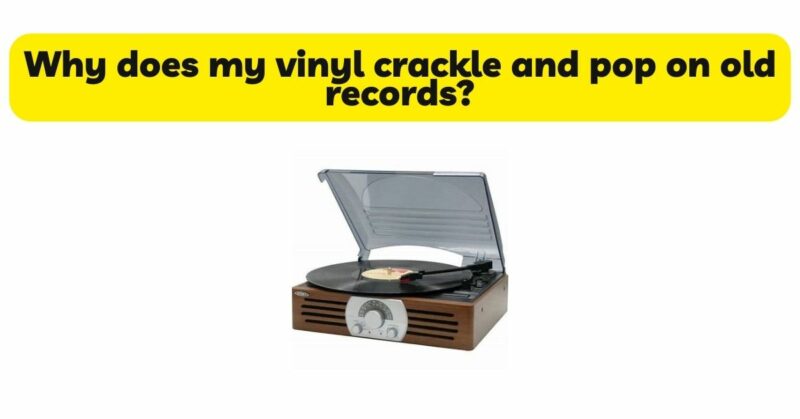
Turntables have long been cherished by music enthusiasts for their ability to deliver warm and immersive analog sound. However, one frustrating issue that can arise during playback is the presence of crackling sounds. These audible disturbances can detract from the enjoyment of vinyl records and leave users wondering about the cause and potential solutions. In this article, we will explore the various factors that can contribute to crackling sounds in turntables. By understanding the underlying causes and implementing appropriate troubleshooting techniques, we can restore the pristine audio quality and fully embrace the joy of vinyl playback.
- Dust and Dirt: One of the most common culprits behind crackling sounds in turntables is the accumulation of dust and dirt. Over time, particles can settle on the record platter, tonearm, stylus, or other components of the turntable. When the stylus traverses the grooves of the vinyl, these particles can cause disruptions, resulting in crackling sounds. Regular cleaning of the turntable, including the stylus, platter, and tonearm, can help minimize dust-related crackling.
- Stylus Condition: A worn or damaged stylus can contribute to crackling sounds during playback. As the stylus deteriorates, it may struggle to accurately track the grooves, causing surface noise and crackling. Regular inspection and replacement of the stylus, in accordance with the manufacturer’s recommendations, are crucial for maintaining optimal performance. Additionally, proper cleaning of the stylus with a stylus brush or cleaning solution can help preserve its condition and reduce crackling.
- Tracking Force and Anti-Skate: Incorrect tracking force and anti-skate settings can also lead to crackling sounds. Insufficient tracking force may cause the stylus to skip or lose contact with the grooves, resulting in intermittent crackling. Likewise, improper anti-skate adjustment can cause uneven tracking, leading to crackling and other audible disturbances. Consulting the turntable’s user manual or seeking professional assistance to ensure accurate tracking force and anti-skate settings can help eliminate this issue.
- Cartridge Alignment: Improper cartridge alignment can impact the performance of the turntable, potentially leading to crackling sounds. Misaligned cartridges may cause the stylus to deviate from the intended path within the grooves, resulting in irregular tracking and crackling. Ensuring correct cartridge alignment, according to the manufacturer’s instructions, is essential for optimal playback performance and minimizing crackling.
- Grounding and Shielding: Lack of proper grounding or inadequate shielding can introduce unwanted electrical interference, which can manifest as crackling sounds. Grounding the turntable to eliminate potential electrical noise and using shielded cables can help mitigate this issue. Ensuring a solid ground connection and utilizing high-quality cables with proper shielding can significantly reduce crackling caused by electrical interference.
- Record Condition: The condition of the vinyl records themselves can contribute to crackling sounds during playback. Records that are dirty, dusty, or damaged may introduce surface noise and crackling. Proper cleaning and maintenance of records, along with careful handling and storage, can help minimize crackling caused by poor record condition.
- Environmental Factors: Environmental conditions can also influence the presence of crackling sounds in turntables. High levels of humidity or temperature fluctuations can cause the vinyl to expand or contract, leading to surface irregularities and crackling. Additionally, static electricity buildup can attract dust particles, exacerbating crackling issues. Maintaining a stable and controlled listening environment, with proper temperature and humidity levels, and implementing anti-static measures can help reduce environmental-related crackling.
- Equipment Quality: The quality and condition of the turntable itself can play a role in crackling sounds. Lower-quality or poorly maintained turntables may lack the precision and stability needed for optimal playback. Investing in a high-quality turntable, with sturdy construction and accurate components, can significantly reduce crackling and improve overall audio performance.
Conclusion: Crackling sounds in turntables can arise from various factors, including dust and dirt, stylus condition, tracking force and anti-skate settings, cartridge alignment, grounding and shielding, record condition, environmental influences, and equipment quality. By understanding these potential causes and implementing appropriate troubleshooting techniques, users can restore the pristine audio quality of their turntables. Regular cleaning and maintenance of the turntable, stylus, and records, along with proper tracking force, anti-skate, and cartridge alignment, are essential for minimizing crackling. Creating a controlled listening environment and utilizing high-quality equipment can further enhance the listening experience. With these measures in place, users can fully enjoy the immersive and captivating sound of vinyl records, free from crackling distractions.