
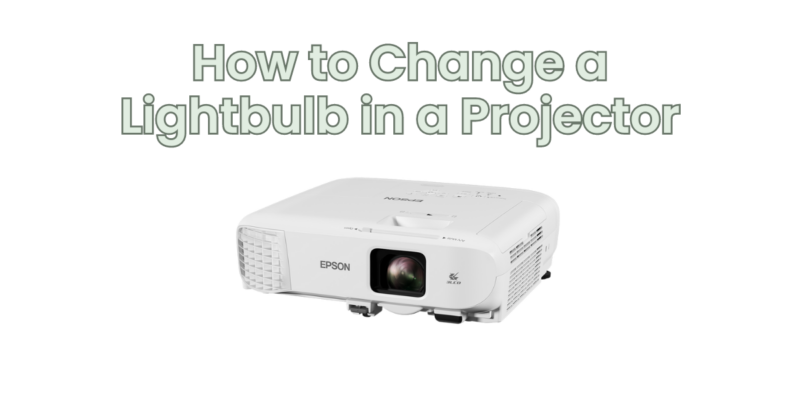
Projector lightbulbs, also known as projector lamps, have a finite lifespan and will eventually need to be replaced. If you notice a significant decrease in brightness, color accuracy, or the projector displays a “lamp replacement” warning, it is likely time to change the lightbulb. In this article, we will provide a step-by-step guide on how to change a lightbulb in a projector.
Note: The specific steps may vary depending on the projector model. Always refer to the manufacturer’s instructions for your projector before attempting to change the lightbulb.
Step 1: Turn Off and Unplug the Projector: Before handling any components of the projector, ensure that it is powered off and unplugged from the electrical outlet. This step is crucial to prevent any electrical accidents or damage to the projector.
Step 2: Allow Sufficient Cooling Time: Projector lamps generate heat during operation. To avoid any potential burns or damage, allow the lamp to cool down for a sufficient amount of time. Check the manufacturer’s guidelines for the recommended cooling period specific to your projector model.
Step 3: Locate the Lamp Access Panel: Identify the location of the lamp access panel on your projector. The access panel is typically located on the bottom, side, or rear of the projector. Consult the manufacturer’s instructions or user manual if you are unsure about the specific location.
Step 4: Remove the Lamp Access Panel: Once you have located the lamp access panel, use a screwdriver or follow the instructions provided by the manufacturer to remove the screws or release the latch securing the panel in place. Carefully remove the access panel to expose the lamp compartment.
Step 5: Remove the Old Lightbulb: Inside the lamp compartment, you will find the old lightbulb. Depending on the projector model, the lightbulb may be held in place by screws, clips, or a lamp cage. Follow the manufacturer’s instructions to safely remove the old lightbulb. Take note of any connectors or cables attached to the lightbulb and detach them carefully.
Step 6: Install the New Lightbulb: Take the new lightbulb, ensuring it is compatible with your projector model and specifications. Align the new lightbulb with the connectors inside the lamp compartment. Gently push the lightbulb into place, making sure it is securely seated.
Step 7: Reattach Cables and Lamp Cage (if applicable): If there were any connectors or cables attached to the old lightbulb, carefully reattach them to the appropriate connectors on the new lightbulb. If your projector has a lamp cage, reinstall it by securing it with screws or clips according to the manufacturer’s instructions.
Step 8: Replace the Lamp Access Panel: Once the new lightbulb is securely installed, replace the lamp access panel by aligning it with the designated slots or hinges. Secure the panel in place using screws or latches according to the manufacturer’s instructions.
Step 9: Reset Lamp Timer (if applicable): Some projectors have a lamp timer that tracks the usage hours of the lightbulb. If you have replaced the lightbulb, you may need to reset the lamp timer to accurately monitor the lamp’s lifespan. Refer to the projector’s user manual for instructions on resetting the lamp timer.
Step 10: Power On and Test: After completing the lightbulb replacement process, plug in the projector and power it on. Allow the projector to warm up, and ensure that the new lightbulb is functioning properly. Check for proper brightness, color accuracy, and any warning messages indicating successful lamp replacement.
In conclusion, changing a lightbulb in a projector involves following a series of steps to ensure a safe and successful replacement. Remember to refer to the manufacturer’s instructions specific to your projector model and take necessary precautions to avoid any accidents. By replacing the lightbulb when needed, you can restore optimal performance and extend the lifespan of your projector.