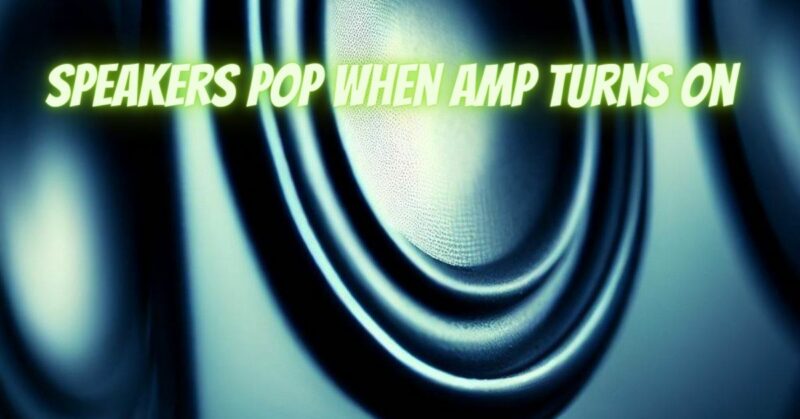
Experiencing speaker popping sounds when turning on your amplifier can be frustrating and concerning. These sudden bursts of noise can potentially harm your speakers and degrade your audio quality. In this article, we will explore some common causes of speaker popping when the amp is powered on and provide potential solutions to help diagnose and address the issue.
- Power Surge: One possible cause of speaker popping is a power surge when the amplifier is initially turned on. This surge can generate a sudden spike in voltage, resulting in the popping sound. To mitigate this, consider using a surge protector or a power conditioner to regulate the electrical flow to your amplifier.
- Delayed Turn-On Circuit: Some amplifiers have a built-in delayed turn-on circuit to protect the speakers and minimize popping noises. However, if this circuit is faulty or absent, it can result in loud pops when the amp is powered on. In this case, it is advisable to consult the manufacturer or an authorized service center for assistance in addressing the issue.
- DC Offset: DC offset refers to a situation where a small amount of direct current is present in the audio signal. This can cause the speaker cones to move abruptly when the amp is powered on, resulting in a popping sound. A potential solution is to use an amplifier with DC offset protection or have an experienced technician examine and adjust the amplifier’s DC offset levels.
- Faulty Input/Output Connections: Loose or faulty input/output connections can cause speaker popping sounds. Check all cables and connectors, ensuring they are securely plugged in and free from dirt or debris. Consider cleaning the connections using electrical contact cleaner if necessary.
- Amplifier Settings: Incorrect amplifier settings, such as high gain or improper gain staging, can contribute to speaker popping. Ensure that the amplifier’s gain and volume settings are properly adjusted to match your speaker system’s requirements. Additionally, avoid sudden and drastic volume changes when powering on the amp, as this can cause popping sounds.
- Speaker Impedance Mismatch: An impedance mismatch between the amplifier and speakers can result in popping noises. Ensure that the speakers’ impedance matches the recommended range specified by the amplifier manufacturer. Using an improper impedance load can strain the amplifier and lead to unwanted popping sounds.
Conclusion:
Speaker popping sounds when powering on an amplifier can be caused by various factors. By systematically checking and addressing issues related to power surges, delayed turn-on circuits, DC offset, input/output connections, amplifier settings, and speaker impedance mismatch, you can diagnose and potentially resolve the problem. However, if you are unsure or uncomfortable with troubleshooting audio equipment, it is always recommended to seek professional assistance from an experienced audio technician or consult the manufacturer for guidance. Proper diagnosis and resolution will help protect your speakers, preserve audio quality, and ensure a smooth and enjoyable listening experience.