
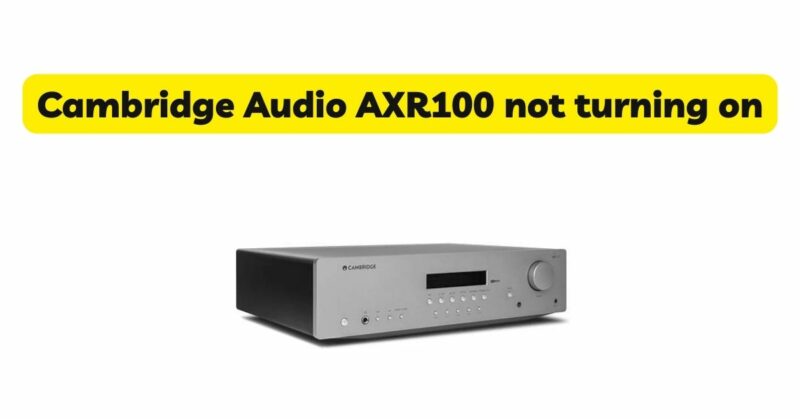
The Cambridge Audio AXR100 is a highly regarded integrated amplifier known for its exceptional audio performance and versatility. However, users may encounter an issue where the AXR100 fails to turn on, causing frustration and concern. In this article, we will explore the possible reasons behind the problem and provide troubleshooting steps to help diagnose and resolve the issue. When the AXR100 doesn’t power on, it can be attributed to various factors, ranging from simple power supply issues to more complex internal faults. Understanding the possible causes can help users navigate through the troubleshooting process effectively. By following the steps outlined in this article, users can identify and potentially resolve the issue, restoring the functionality of their Cambridge Audio AXR100 amplifier. It’s important to note that while some troubleshooting steps can be performed by users, certain issues may require professional assistance from authorized service centers or technicians. Whether you’re a long-time owner of the Cambridge Audio AXR100 or considering purchasing one, knowing how to address the problem of the amplifier not turning on can save you time and frustration. Let’s dive into the possible causes and solutions to help get your AXR100 up and running again.
Causes of the AXR100 Not Turning On
- Power Supply Issues: One of the primary reasons why the Cambridge Audio AXR100 may not turn on is related to power supply issues. Firstly, ensure that the amplifier is properly plugged into a working power outlet and that the power cable is securely connected to both the outlet and the amplifier. It’s also worth checking if the power outlet is functional by testing it with another device. If the power supply appears to be working correctly, but the AXR100 still doesn’t turn on, it may be necessary to inspect the amplifier’s internal fuse. A blown fuse can prevent the unit from receiving power, and in such cases, it should be replaced with a fuse of the same rating. Consult the AXR100’s user manual or contact Cambridge Audio’s customer support for guidance on replacing the fuse.
- Standby Mode: The AXR100 features a standby mode that allows the amplifier to power on more quickly when activated. If the unit is in standby mode, it may appear as if it is not turning on. To verify if this is the case, check if the standby LED indicator is lit. If it is, press the power button on the amplifier or the remote control to exit standby mode and power on the unit. If the standby LED is not lit, it could indicate a more significant issue, and further troubleshooting steps are necessary.
- Speaker Protection: The Cambridge Audio AXR100 incorporates built-in speaker protection circuits to safeguard the connected speakers from potential damage. In some instances, if there is an issue with the speaker connections, such as a short circuit or incorrect wiring, the amplifier may not turn on as a safety precaution. Double-check that the speaker connections are secure and properly matched to the respective terminals on the amplifier. Ensure that the speaker wires are not frayed or touching each other, which can cause a short circuit. If the issue persists, try connecting a different set of speakers to the AXR100 to determine if the problem lies with the speakers themselves. It is also worth testing the amplifier without any speakers connected to see if it turns on. This can help isolate the issue to either the amplifier or the speaker connections.
- Internal Component Fault: In rare cases, the failure to turn on could be due to internal component faults within the AXR100. Electronic components can fail over time due to various factors, and it’s possible that a malfunctioning component is preventing the unit from powering on. In such cases, it is recommended to contact Cambridge Audio’s customer support or consult a professional technician for further diagnosis and repair. They will have the expertise and knowledge to identify and replace any faulty components, restoring the AXR100’s functionality.
How to Fix the AXR100 Not Turning On
- Check the power supply: Make sure that the power cord is plugged into an outlet and that the outlet is working.
- Check the mains fuse: The AXR100 has a mains fuse that protects the amplifier from electrical surges. If the mains fuse is blown, the amplifier will not turn on. To check the mains fuse, locate it on the back of the amplifier. If the fuse is blown, it will be blackened or cracked. If the fuse is blown, you will need to replace it.
- Check for a short circuit: If you suspect that a short circuit has occurred, you should contact a qualified technician for assistance.
- Replace faulty components: If you have checked all of the other possibilities and your AXR100 still does not turn on, it is possible that a faulty component is the cause of the problem. In this case, you will need to contact Cambridge Audio customer support for assistance.
Conclusion
In conclusion, experiencing difficulties with the Cambridge Audio AXR100 not turning on can be a frustrating experience for users. However, by following the troubleshooting steps outlined in this article, users can often identify and resolve the underlying issues. We have explored several possible causes for the problem, including power supply issues, standby mode, speaker protection, and internal component faults. By checking power connections, ensuring proper speaker connections, and ruling out issues with the power supply and standby mode, users can address common causes of the AXR100 not turning on. However, it’s important to note that not all issues can be resolved through simple troubleshooting. In some cases, internal component faults may require professional attention. If all troubleshooting steps fail to resolve the issue, it is recommended to contact Cambridge Audio’s customer support or seek assistance from authorized service centers or qualified technicians. The Cambridge Audio AXR100 is a reliable and highly regarded integrated amplifier, known for its exceptional audio performance. By understanding and addressing the potential causes of the not-turning-on issue, users can restore the functionality of their AXR100 and continue to enjoy its impressive sound quality. Remember, if you are unsure or uncomfortable with performing any troubleshooting steps, it is always best to seek professional assistance to avoid any further damage to the amplifier.