
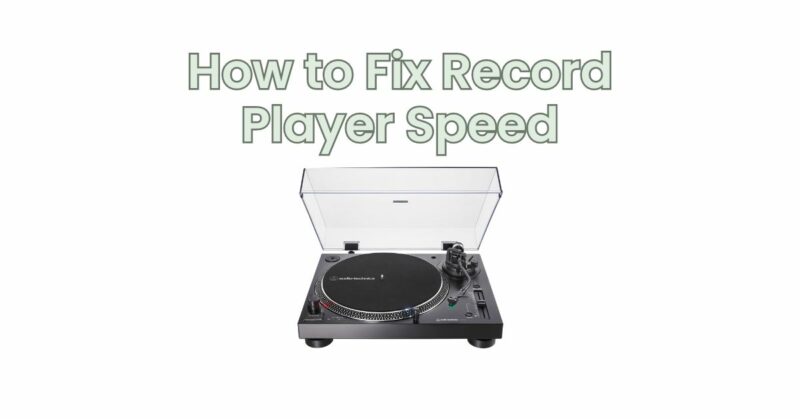
A record player is a gateway to the timeless sound of vinyl records, but encountering speed issues can disrupt the listening experience. Whether your turntable is spinning too fast or too slow, it’s essential to troubleshoot and rectify the problem to ensure accurate playback. In this article, we provide a step-by-step guide on how to fix record player speed issues, helping you restore the optimal speed and enjoy your vinyl collection to the fullest.
- Identify the Speed Problem: Before attempting any fixes, determine whether your record player is spinning too fast or too slow. Use a reliable external speed reference, such as a strobe disc or smartphone app, to compare the turntable’s speed against the intended standard (usually 33 1/3 RPM or 45 RPM). Note any significant deviation in speed.
- Belt-Driven Turntables: If you have a belt-driven turntable, start by inspecting the belt. Ensure it is correctly positioned and properly tensioned around the motor pulley and turntable platter. If the belt is worn or stretched, it may need replacement. Refer to your turntable’s user manual or manufacturer’s guidelines for instructions on adjusting or replacing the belt.
- Direct-Drive Turntables: For direct-drive turntables, speed control is typically handled by an electronic system. Look for speed adjustment controls or switches on the turntable’s control panel or underneath the platter. Use a small screwdriver or knob to make precise adjustments to the speed settings. Make incremental changes and test the playback with an external speed reference until the correct speed is achieved.
- Voltage and Power Supply: Unstable or incorrect voltage can affect the speed of your record player. Ensure that the turntable is connected to a stable power source, free from voltage fluctuations or surges. If possible, try using a voltage regulator or power conditioner to stabilize the power supply and maintain consistent speed.
- Tracking Force and Anti-Skate Adjustments: Incorrect tracking force and anti-skate settings can lead to speed irregularities. Consult your turntable’s user manual for the recommended tracking force range and anti-skate adjustment instructions. Use a digital stylus force gauge or a calibrated balance to set the tracking force accurately. Adjust the anti-skate mechanism to ensure proper stylus alignment and prevent speed issues caused by excessive friction.
- Stylus and Cartridge Check: A worn-out or damaged stylus or misaligned cartridge can affect the speed and overall playback quality. Inspect the stylus for signs of wear or damage. If necessary, replace the stylus or realign the cartridge according to the manufacturer’s instructions. Ensure proper stylus contact with the record grooves.
- Seek Professional Assistance: If the above steps do not resolve the speed issue, there may be internal mechanical problems that require professional attention. Contact the manufacturer’s customer support or consult a qualified technician who specializes in turntable repairs. They can diagnose and address any internal mechanical issues that may be affecting the speed.
Conclusion: Fixing record player speed issues requires a systematic approach and attention to detail. By identifying the specific problem, inspecting and adjusting components like belts, speed controls, tracking force, and anti-skate settings, and ensuring proper voltage and power supply stability, you can often rectify speed irregularities and restore accurate playback on your turntable. Remember to consult the user manual for your specific turntable model and seek professional assistance if needed. With patience and troubleshooting, you can bring your record player back to its optimal speed and enjoy the authentic sound of vinyl records as they were intended.