
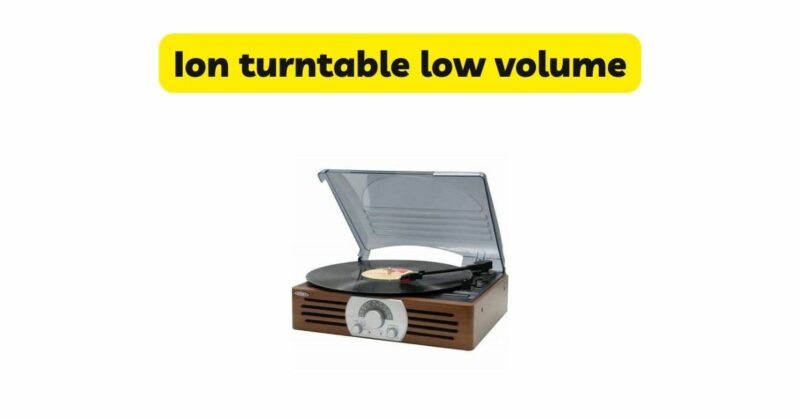
Ion turntables have gained popularity among vinyl enthusiasts for their affordability and user-friendly features. However, experiencing low volume output can be a frustrating issue that affects the overall listening experience. In this article, we will explore the potential causes of low volume on Ion turntables and provide troubleshooting tips to help you resolve the problem. By understanding the factors that contribute to low volume and implementing appropriate solutions, you can enjoy optimal sound quality from your Ion turntable.
- Turntable Setup and Calibration: A common cause of low volume on Ion turntables is incorrect setup or calibration. Ensure that the turntable is properly connected to the audio system or speakers. Check that the cables are securely plugged into the correct inputs and outputs. Additionally, verify that the turntable’s tracking force and anti-skate settings are properly adjusted according to the manufacturer’s instructions. Incorrect setup can result in suboptimal audio levels.
- Preamp and Phono Stage: Ion turntables may require a separate preamp or phono stage to boost the signal from the turntable to a suitable level for amplification. Ensure that the preamp or phono stage is properly connected and powered on. Adjusting the gain or sensitivity settings on the preamp can also help increase the volume output. If your turntable does not have a built-in preamp, consider investing in an external preamp or phono stage to enhance the volume and sound quality.
- Cartridge and Stylus: The cartridge and stylus play a crucial role in the playback quality and volume output of the turntable. A worn-out or damaged stylus can result in low volume or distorted sound. Check the condition of the stylus and replace it if necessary, following the manufacturer’s guidelines. Additionally, ensure that the cartridge is securely attached to the tonearm and properly aligned. Proper maintenance and replacement of the cartridge and stylus can significantly improve volume output.
- Audio System and Amplification: Low volume can also be attributed to issues with the audio system or amplification setup. Verify that the volume control on the audio system or receiver is set to an appropriate level. Ensure that the speakers are properly connected and positioned for optimal sound projection. If using external speakers, check their impedance rating to ensure compatibility with the amplifier or receiver. Faulty or inadequate amplification equipment may require repair or replacement to achieve satisfactory volume levels.
- Record Cleaning and Condition: Dust, debris, or damage on the vinyl record itself can affect the volume output and sound quality. Clean your records using appropriate cleaning methods and solutions to remove contaminants that may interfere with the stylus’s tracking. Additionally, inspect the condition of the records for scratches, warping, or other damage. Severely damaged records may cause low volume or distorted sound and may need to be replaced.
- Grounding and Interference: Improper grounding or interference from external sources can impact the volume output of Ion turntables. Ensure that the turntable is properly grounded to minimize electrical interference. Keep the turntable away from other electronic devices that may generate electromagnetic interference, such as televisions, computers, or Wi-Fi routers. Eliminating grounding and interference issues can help optimize the volume and sound quality.
- Quality of Audio Cables: The quality and condition of the audio cables used to connect the turntable to the audio system or speakers can affect the volume output. Ensure that the cables are in good condition, without any frayed or damaged connectors. Consider using high-quality shielded cables to minimize signal loss or interference. Upgrading to better quality cables can enhance the volume and overall sound reproduction.
Conclusion: Experiencing low volume on an Ion turntable can be a frustrating experience, but it is a common issue with various potential causes. By troubleshooting and addressing the factors discussed above, including turntable setup and calibration, preamp or phono stage considerations, cartridge and stylus condition, audio system and amplification setup, record cleaning and condition, grounding and interference, and the quality of audio cables, you can overcome low volume issues and enjoy optimal sound quality from your Ion turntable. Remember to follow the manufacturer’s instructions and seek professional assistance if needed. With proper troubleshooting and adjustments, you can ensure an enjoyable vinyl listening experience with adequate volume levels.